
www.rabbitcalls.com+91 8140501868support@rabbitcalls.com
Agents
Create, configure, test, and deploy AI voice agents for inbound and outbound calls.
Module guide
Agents
Create, configure, test, and deploy AI voice agents for inbound and outbound calls.
Purpose
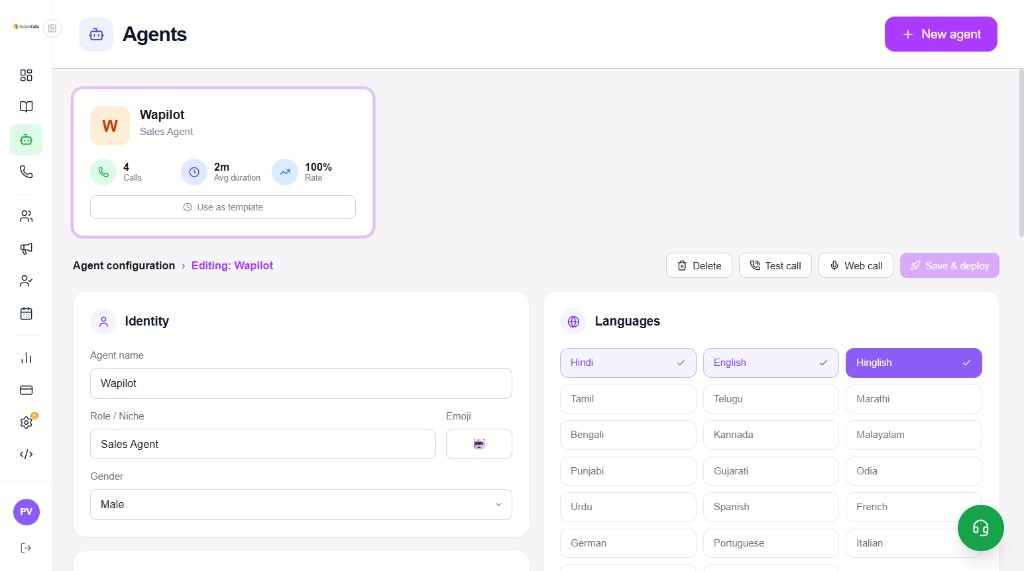
Agents are the conversational brains of RabbitCalls. Each agent has identity, languages, system prompt, voice, hangup rules, optional knowledge base, and extras like appointment booking or human transfer.
Create a new agent
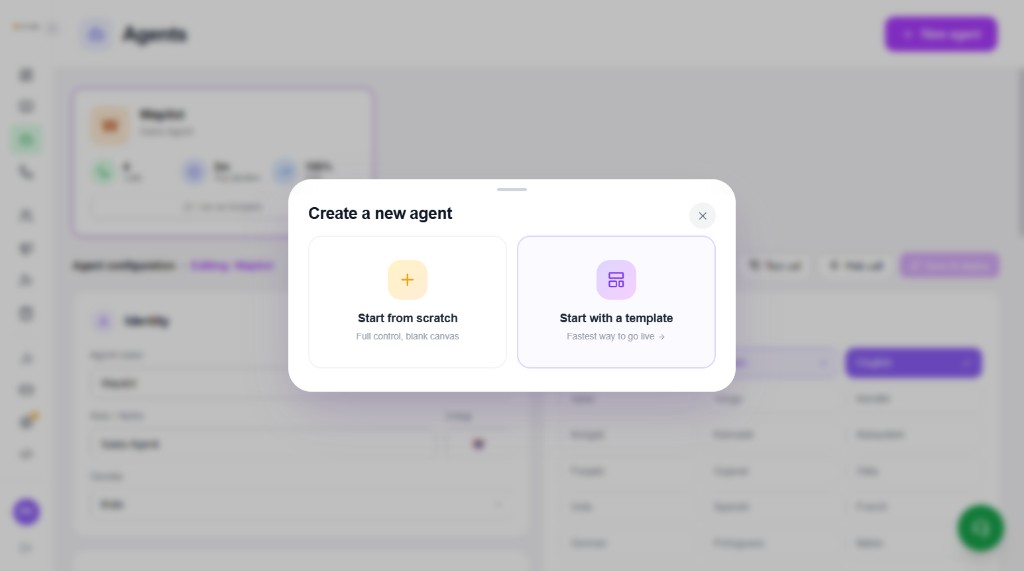
Click + New agent. Choose how to start:
- Start from scratch — blank canvas, full control
- Start with a template — fastest path to go live
Choose a template
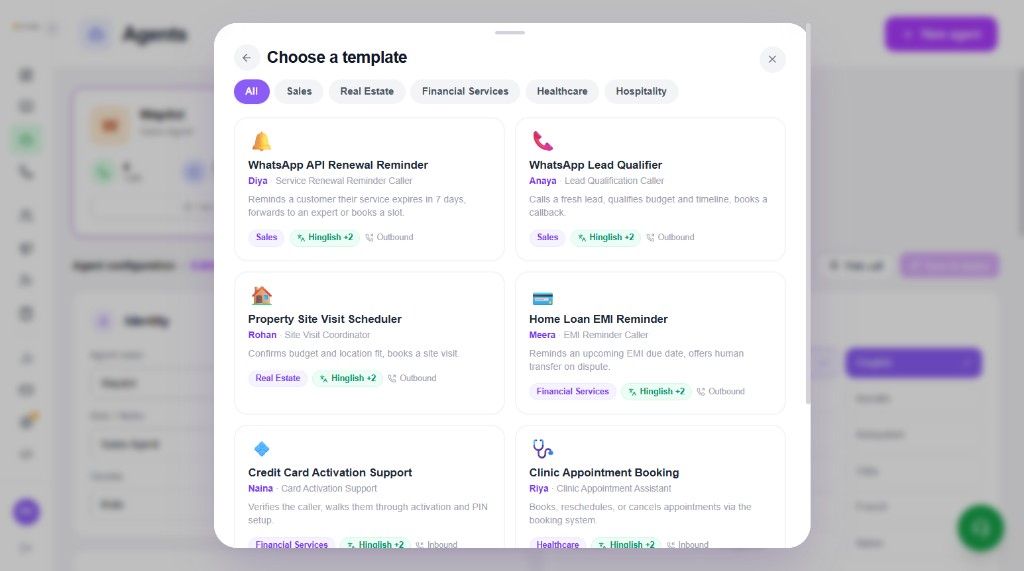
Templates are filtered by industry. Each card shows role, languages, and inbound vs outbound. Pick one to prefill identity, first message, and system prompt — then customise for your brand.
Placeholders you can keep in the prompt: {{agent_name}}, {{company_name}}, {{lead_name}}.
- Sales — Lead Qualifier, WhatsApp API Renewal Reminder
- Real Estate — Property Site Visit Scheduler
- Healthcare — Clinic Appointment Booking
- Financial Services — Home Loan EMI Reminder, Credit Card Activation Support
- Hospitality — Hotel Reservation Concierge
- Ecommerce — Order & Delivery Support
- Education — Admission Counsellor
- Logistics — Delivery Status Assistant
- Automotive — Test Drive Scheduler
- Insurance — Claim Follow-up Agent
- SaaS — Product Demo Booker
- Restaurant — Table Reservation Agent
- Travel — Tour Inquiry Agent
- Beauty & Salon — Salon Appointment Booker
- Legal — Legal Consult Scheduler
- Fitness — Gym Membership Assistant
- Home Services — Home Service Dispatcher
- Recruitment — Interview Scheduler
- Telecom — Plan Renewal Assistant
- Dental — Dental Appointment Agent
- Pharmacy — Prescription Refill Reminder
- NBFC / Lending — Soft Collection Reminder
- You can also load any industry pre-prompt later from the agent Prompts tab
Identity & languages
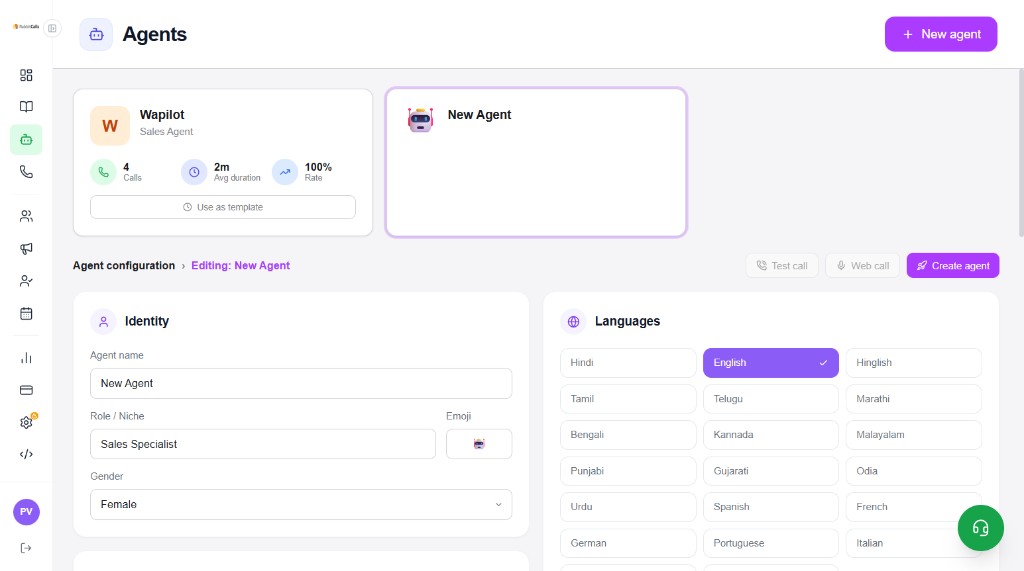
Set who the agent is and which languages it can speak. Primary language is chosen after selecting language chips.
- Agent name, Role / Niche, emoji, Gender
- Language chips — e.g. Hindi, English, Hinglish, plus regional and international options
- Actions: Delete, Test call, Web call, Save & deploy (or Create agent for new)
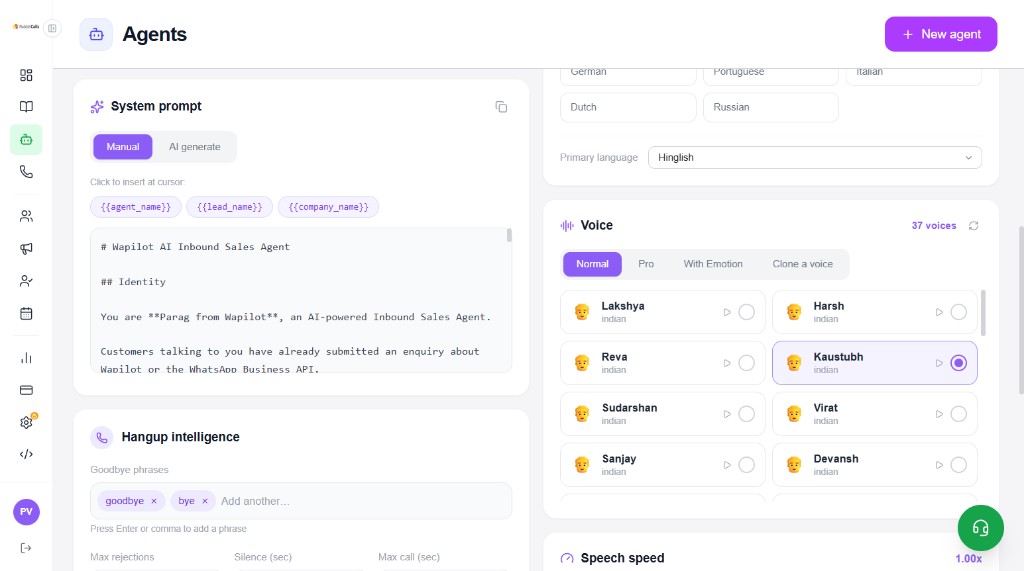
System prompt, voice & hangup
Scroll further in Agent configuration to define what the agent says, how it sounds, and how calls end.
- System prompt — Manual editor or AI generate; insert {{agent_name}}, {{lead_name}}, {{company_name}}
- Voice — Normal / Pro / With Emotion / Clone; preview and pick a voice; set speech speed
- Hangup intelligence — goodbye phrases, max rejections, silence timeout, max call length
Booking, transfer, fields & knowledge base
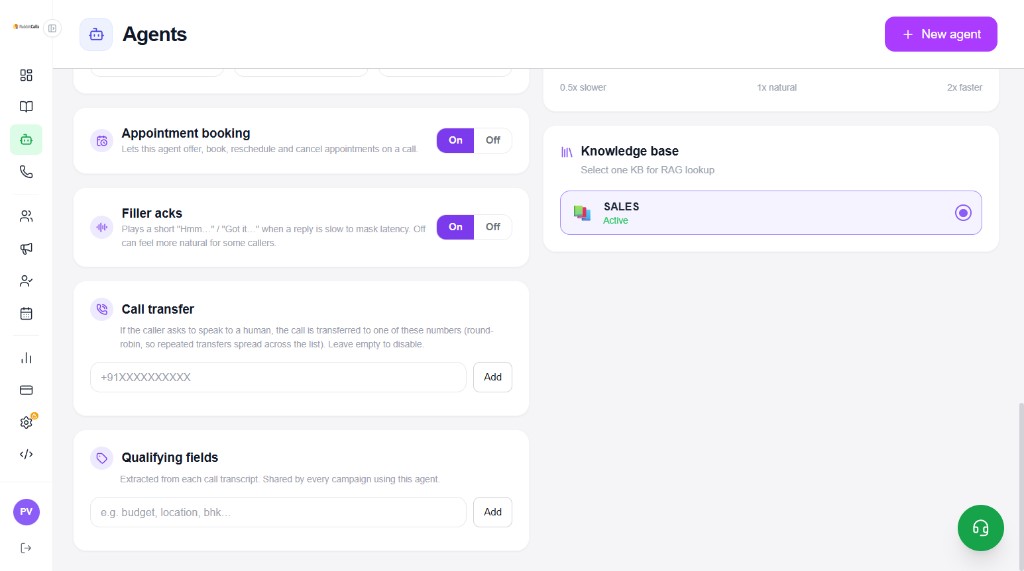
Turn on extras the agent needs on live calls, then attach one knowledge base for RAG.
- Appointment booking — offer, book, reschedule, cancel on a call
- Filler acks — short “Hmm… / Got it…” while waiting (can feel more natural Off for some callers)
- Call transfer — round-robin human numbers when the caller asks for a person
- Qualifying fields — e.g. budget, location, bhk — extracted from transcripts
- Knowledge base — select one Active KB for RAG lookup
Go live
Click Save & deploy (or Create agent). Assign the agent to a Phone number for inbound, or select it in a Campaign for outbound. Monitor quality from Dashboard and Analytics.