
www.rabbitcalls.com+91 8140501868support@rabbitcalls.com
Campaigns
Launch outbound AI Agent or IVR menu campaigns — track progress, dialled, answered, qualified, and DNC.
Module guide
Campaigns
Launch outbound AI Agent or IVR menu campaigns — track progress, dialled, answered, qualified, and DNC.
Purpose
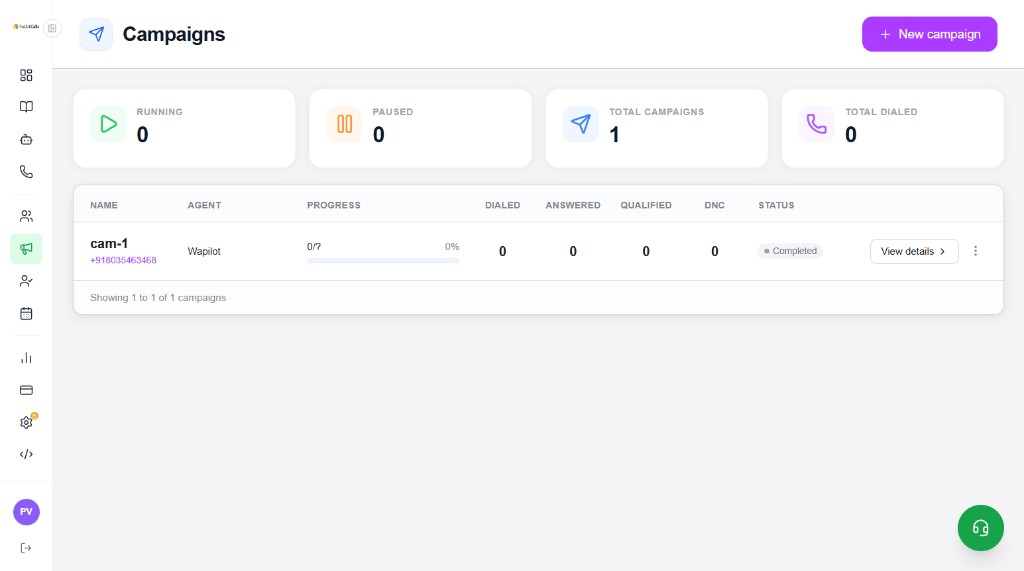
Campaigns dial your Audience at scale using a Phone number as caller ID. Choose AI Agent (conversation) or IVR menu (recording + keypad). Monitor Running / Paused counts and open View details for each run.
What you see on the list
- RUNNING / PAUSED — live campaign states
- TOTAL CAMPAIGNS / TOTAL DIALED — workspace totals
- Table: Name (+ caller ID), Agent, Progress, Dialed, Answered, Qualified, DNC, Status
- View details → and ⋮ menu for more actions
- + New campaign — open the create form
New campaign — AI Agent
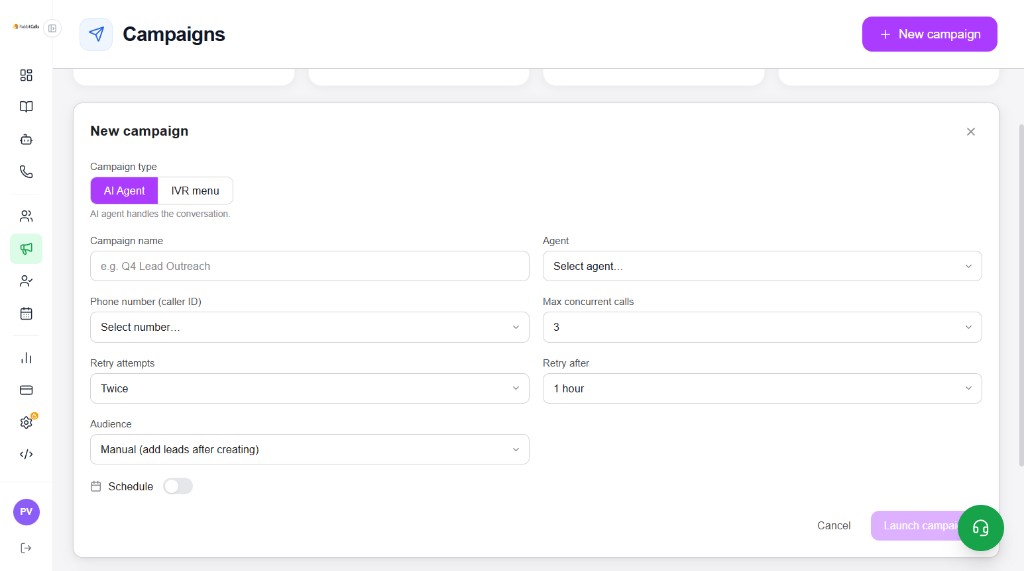
Click + New campaign and select Campaign type: AI Agent (AI agent handles the conversation).
- Campaign name — e.g. Q4 Lead Outreach
- Agent — pick a configured Agents entry
- Phone number (caller ID) — from Phone numbers
- Max concurrent calls — e.g. 3
- Retry attempts / Retry after — e.g. Twice, 1 hour
- Audience — pick a group, or Manual (add leads after creating)
- Schedule — optional start later
- Launch campaign when required fields are filled
New campaign — IVR menu
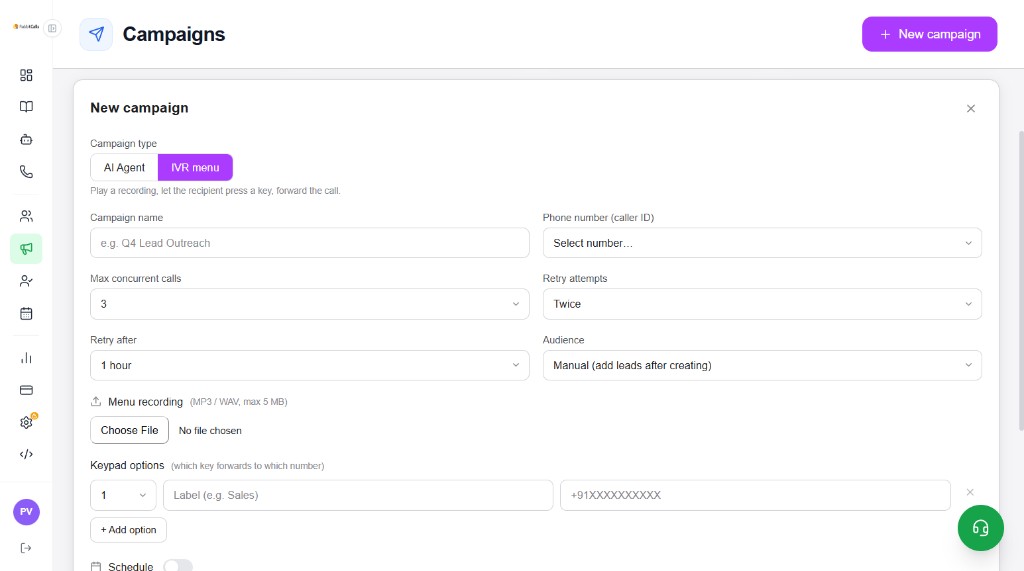
Select Campaign type: IVR menu — play a recording, let the recipient press a key, forward the call.
- Same shared fields: name, caller ID, concurrency, retries, audience
- Menu recording — upload MP3 / WAV, max 5 MB
- Keypad options — map key (e.g. 1) → Label (e.g. Sales) → +91 forward number
- + Add option — more keypad routes
- No Agent dropdown — IVR uses recording + keypad instead
Schedule a campaign
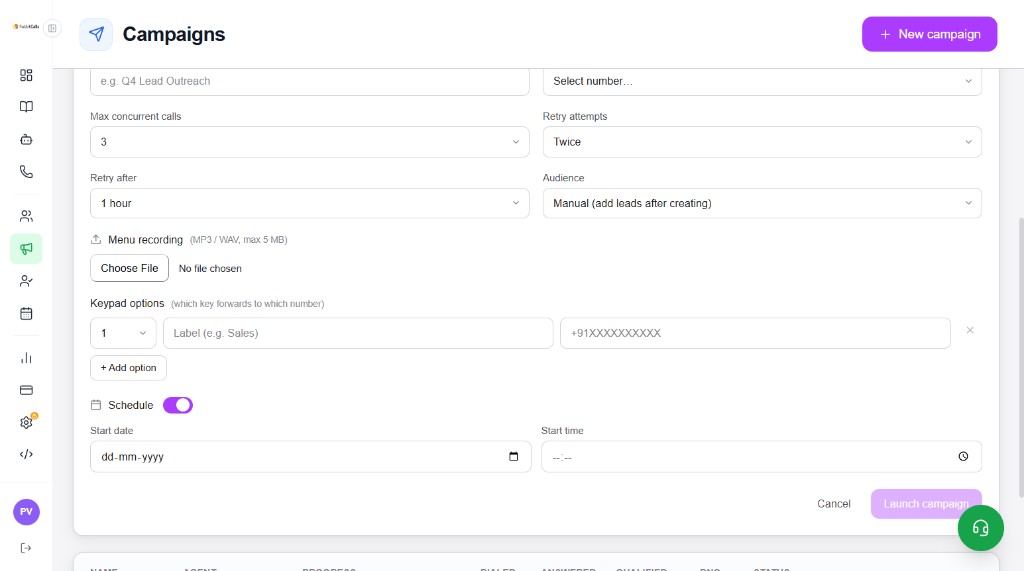
Turn Schedule On to set Start date (dd-mm-yyyy) and Start time. Launch still saves the campaign; dialling begins at the scheduled time (within wallet and plan limits).
Lifecycle & compliance
- Launch → Running (or scheduled) → Pause if needed → Completed when the list is done
- Review Dialed / Answered / Qualified / DNC on the list and in Leads / Analytics
- You are responsible for consent and applicable telecom / commercial communication rules
- Honour DNC and opt-outs; keep identity scripts clear