
www.rabbitcalls.com+91 8140501868support@rabbitcalls.com
Appointments
Calendar and list of bookings, plus Resources & Hours for availability and reminders your agents can offer on a call.
Module guide
Appointments
Calendar and list of bookings, plus Resources & Hours for availability and reminders your agents can offer on a call.
Purpose
Appointments lets voice agents book, reschedule, and cancel real slots on a call. Set open days and length under Resources & Hours, turn on Appointment booking on the Agent, then manage bookings in Calendar or List.
Calendar view
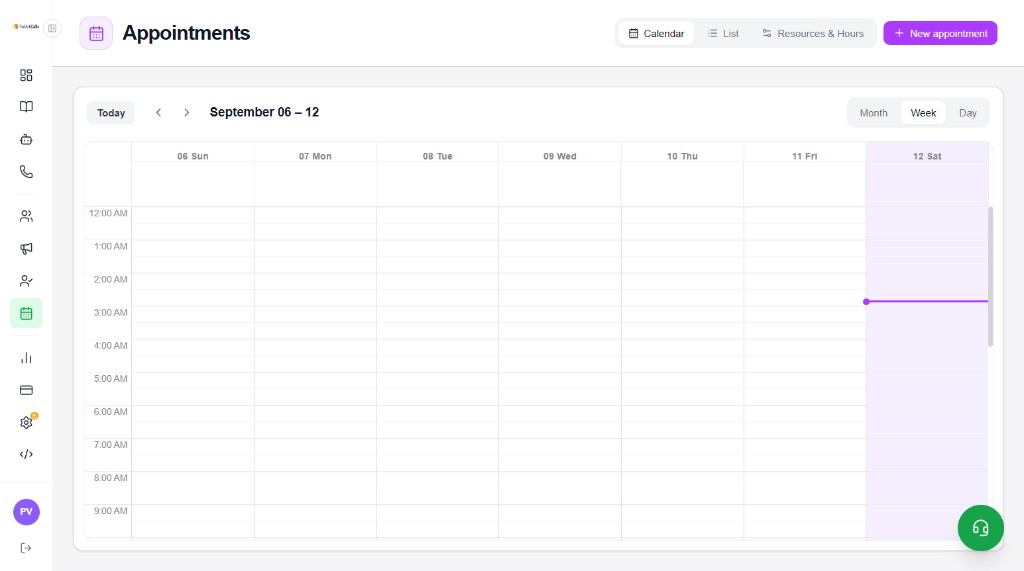
Open Appointments → Calendar. Browse by Month, Week, or Day, jump with Today and the arrows, and create bookings with + New appointment.
- Week grid shows hours (e.g. 12:00 AM onward) across the selected date range
- Current day / time is highlighted on the grid
- Switch to List or Resources & Hours from the top tabs
List view
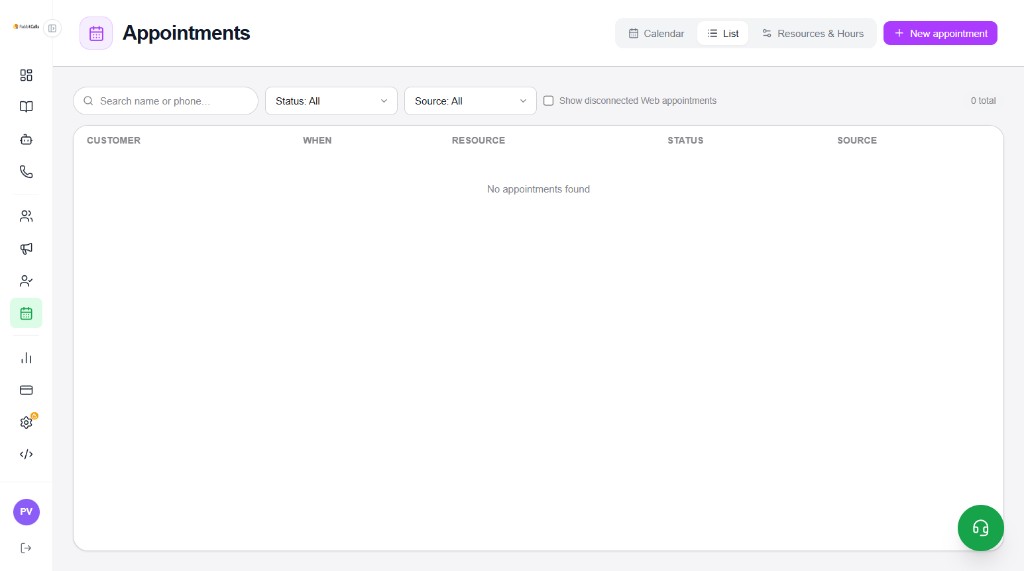
List shows every appointment in a table — useful for search and status filters when the calendar is empty or busy.
- Search name or phone…
- Status / Source filters
- Show disconnected Web appointments (optional)
- Columns: Customer, When, Resource, Status, Source
- Empty state: No appointments found until bookings exist
Resources & Hours — availability
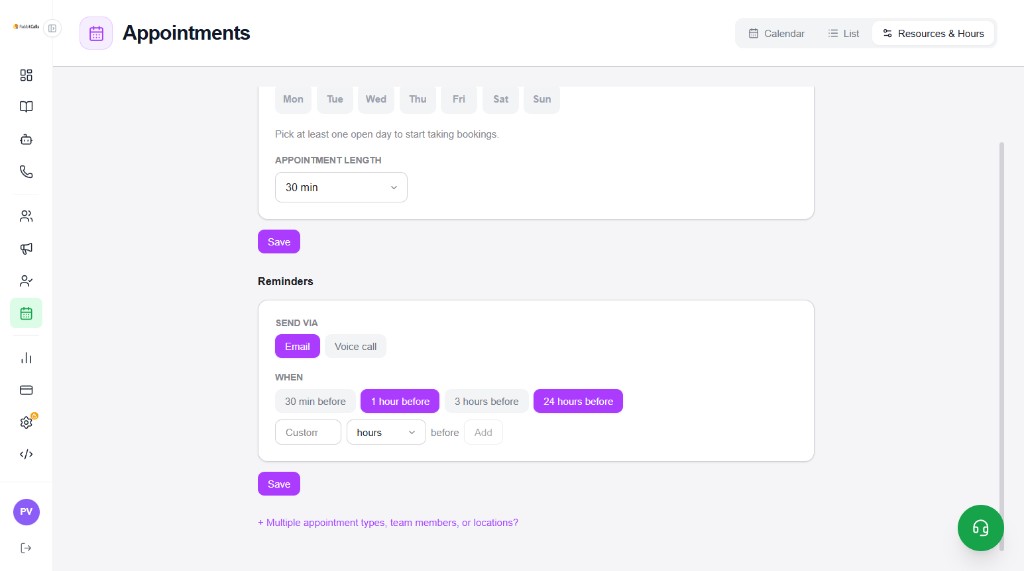
Open Resources & Hours before agents take bookings. Pick at least one open day, set appointment length, then Save.
- Open days — Mon–Sun chips (pick at least one)
- Appointment length — e.g. 30 min
- Save — apply availability
- + Multiple appointment types, team members, or locations? — expand for more resources when needed
Reminders
In the same Resources & Hours screen, configure how customers are reminded before the appointment.
- Send via — Email and/or Voice call
- When — presets like 30 min, 1 hour, 3 hours, 24 hours before
- Custom — add your own offset (e.g. N hours) with Add
- Save reminders separately from availability
Connect to Agents
On Agents → enable Appointment booking so the agent can offer, book, reschedule, and cancel on a call. Availability must be saved first under Resources & Hours.
Google Calendar sync
In Settings → Connect Google Calendar, connect your Google account for two-way sync of appointment bookings. See the Settings guide for the Connect button screenshot.