
www.rabbitcalls.com+91 8140501868support@rabbitcalls.com
Dashboard
Home overview of live calls, volume, minutes, and answer rate.
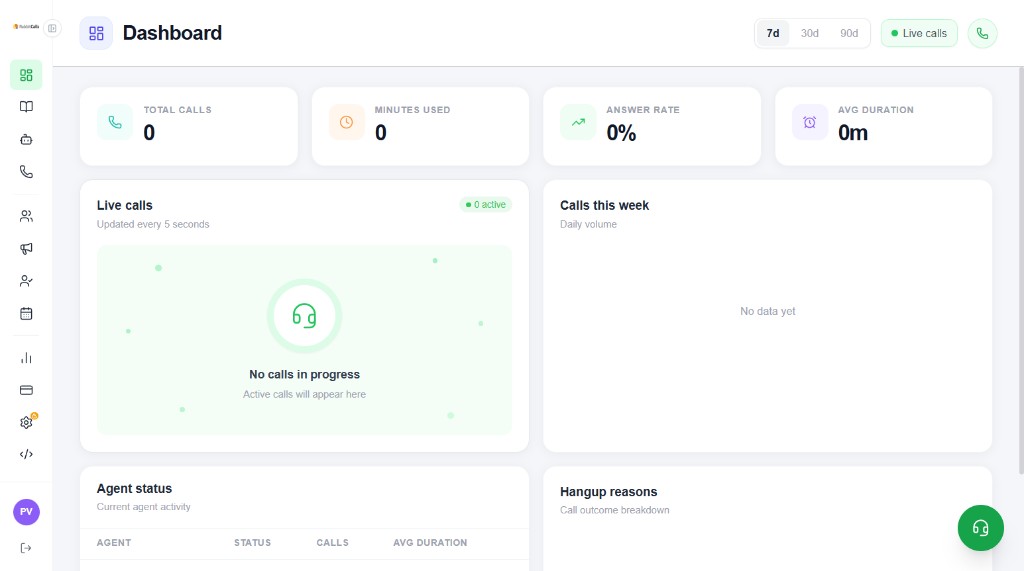
What you see
The Dashboard is the first screen after login. It summarises calling health for the selected range (7d, 30d, or 90d).
- Live calls — count of calls in progress (refreshes about every 5 seconds)
- Total calls — volume in the selected period
- Minutes used — billable voice minutes consumed
- Answer rate — share of calls that connected
- Avg duration — average talk time
- Calls this week — daily volume chart
- Agent status — current agent activity table
- Hangup reasons — call outcome breakdown
When it shows zeros
New workspaces show 0 until traffic starts. That is expected. Complete Onboarding (plan + number), then place a test call.
Tip: If live calls stay empty during a campaign, check Campaigns status, phone number assignment, and Billing wallet balance.
How to use it day to day
Glance at Live calls during peak hours, switch 7d/30d/90d to spot trends, then open Analytics for hangup reasons and per-agent detail.