
www.rabbitcalls.com+91 8140501868support@rabbitcalls.com
Phone numbers
Request a RabbitCalls number (KYC), connect Twilio, assign agents, and place test calls.
Module guide
Phone numbers
Request a RabbitCalls number (KYC), connect Twilio, assign agents, and place test calls.
Purpose
Phone numbers connect the public telephone network to your agents and campaigns. Use a RabbitCalls-provisioned Indian number (after KYC) or bring your own Twilio number.
What you see
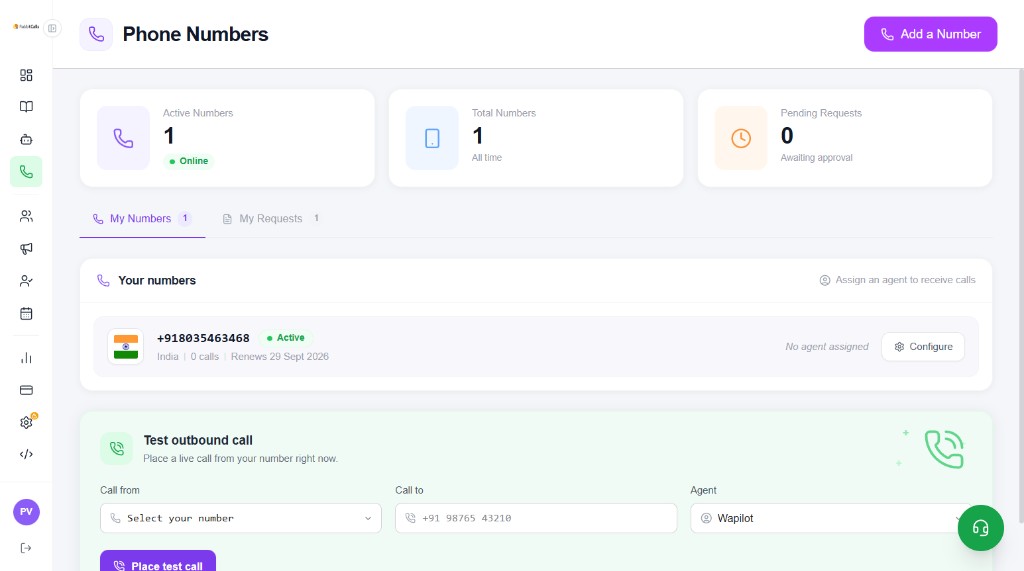
The top cards show Active Numbers, Total Numbers, and Pending Requests. Tabs split My Numbers and My Requests. Each number shows status, country, call count, renew date, and whether an agent is assigned.
- Configure — open number settings and assign an agent for inbound
- Test outbound call — pick Call from, Call to, Agent, then Place test call
- + Add a Number — request a platform number or connect Twilio
Add a phone number
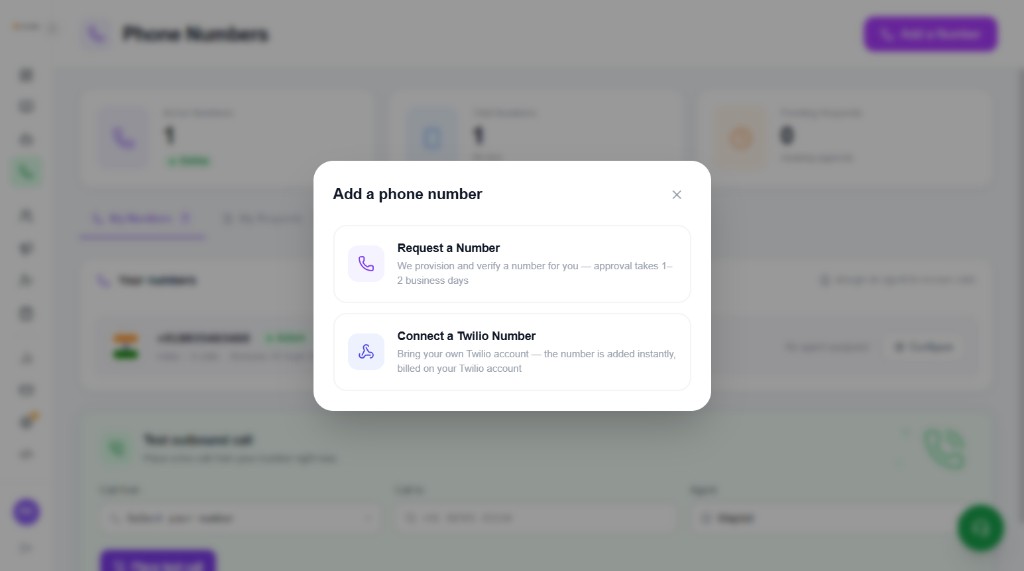
Click + Add a Number. You get two paths:
- Request a Number — we provision and verify for you (approval takes 1–2 business days)
- Connect a Twilio Number — bring your own Twilio account; number is added instantly and billed on Twilio
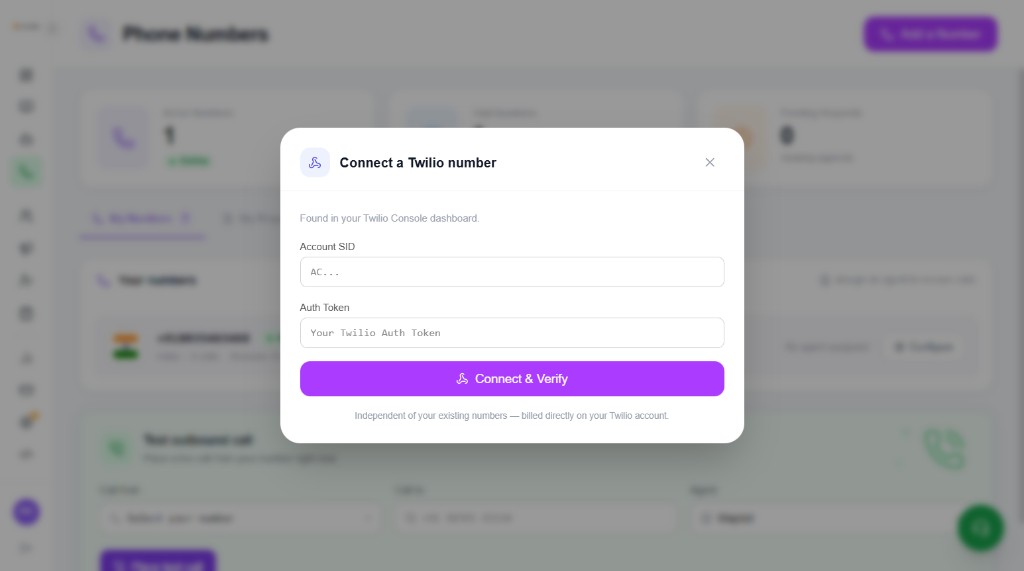
Connect Twilio (Account SID & Auth Token)
Choose Connect a Twilio Number. Enter credentials from your Twilio Console, then Connect & Verify. Billing for that number stays on your Twilio account — independent of RabbitCalls platform numbers.
- Open Twilio Console → copy Account SID (starts with AC…)
- Copy Auth Token from the same dashboard
- Paste both in the RabbitCalls modal and click Connect & Verify
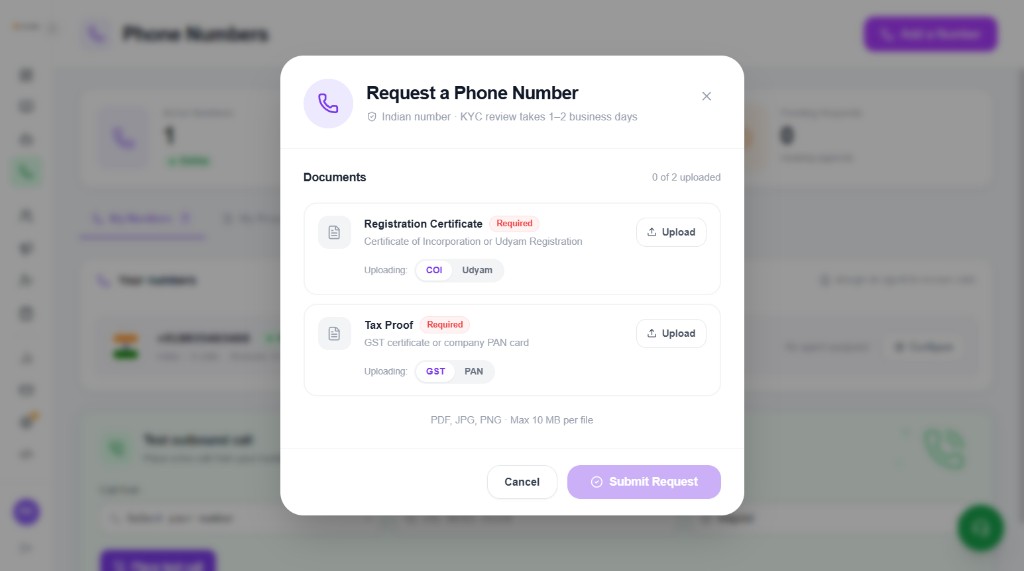
Request a number (India KYC)
Choose Request a Number. For an Indian number you upload KYC documents (0 of 2). Review takes 1–2 business days — not same-day / not within 24 hours.
- Registration Certificate (required) — Certificate of Incorporation (COI) or Udyam Registration
- Tax Proof (required) — GST certificate or company PAN card
- File types: PDF, JPG, PNG — max 10 MB per file
- Submit Request — then track status under My Requests / Pending Requests
No certificate yet? Official government links
If you do not have the documents yet, apply on the official portals below, download the certificate/card, then return to Phone Numbers → Request a Number and upload.
- COI (Certificate of Incorporation) — company registration via MCA
- Udyam — MSME / Udyam Registration certificate
- GST certificate — GST portal registration / login
- PAN — Income Tax / NSDL PAN services for company or individual PAN
Still pending after 1–2 business days?
Check My Requests and Pending Requests on the Phone Numbers page. If status is still awaiting approval after two business days (weekends/holidays excluded), contact support with your request details.
- Email support@rabbitcalls.com
- Or use WhatsApp / Call us in the app
- Include business name, request date, and which docs you uploaded
Inbound routing checklist
Number Active → Agent assigned (Configure) → Knowledge base on that agent → wallet has minutes → optional Test outbound call → dial the number to verify inbound.