
www.rabbitcalls.com+91 8140501868support@rabbitcalls.com
Knowledge base
Upload documents to power live RAG for your voice agents during calls.
Module guide
Knowledge base
Upload documents to power live RAG for your voice agents during calls.
Purpose
A knowledge base (KB) grounds the voice agent in your business — products, policies, scripts, and FAQs — using live RAG during calls so answers stay on-brand instead of generic.
What you see
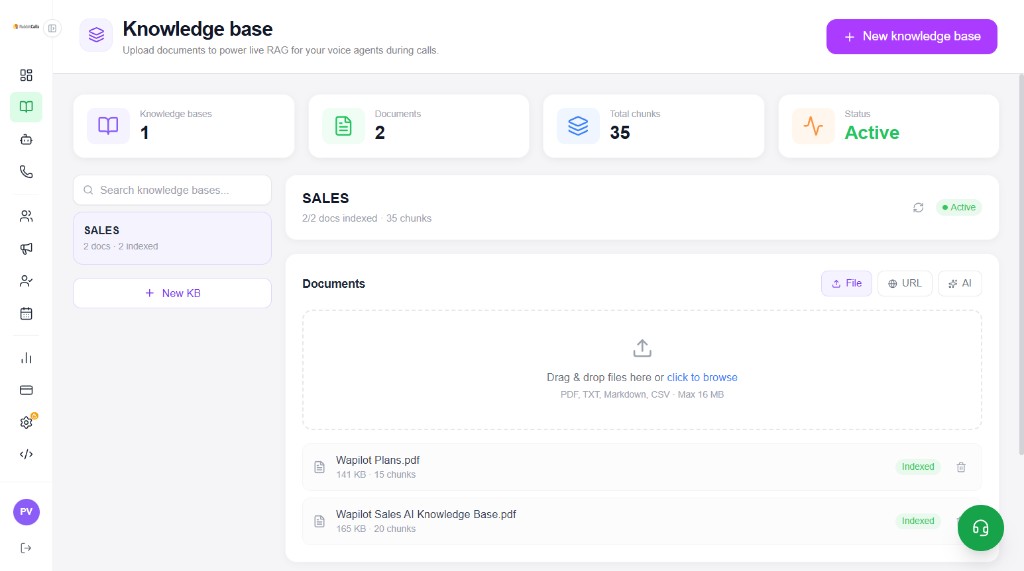
The top row summarises Knowledge bases, Documents, Total chunks, and Status (Active when indexed). The left pane lists your KBs; the right pane shows documents for the selected KB.
- Search knowledge bases by name
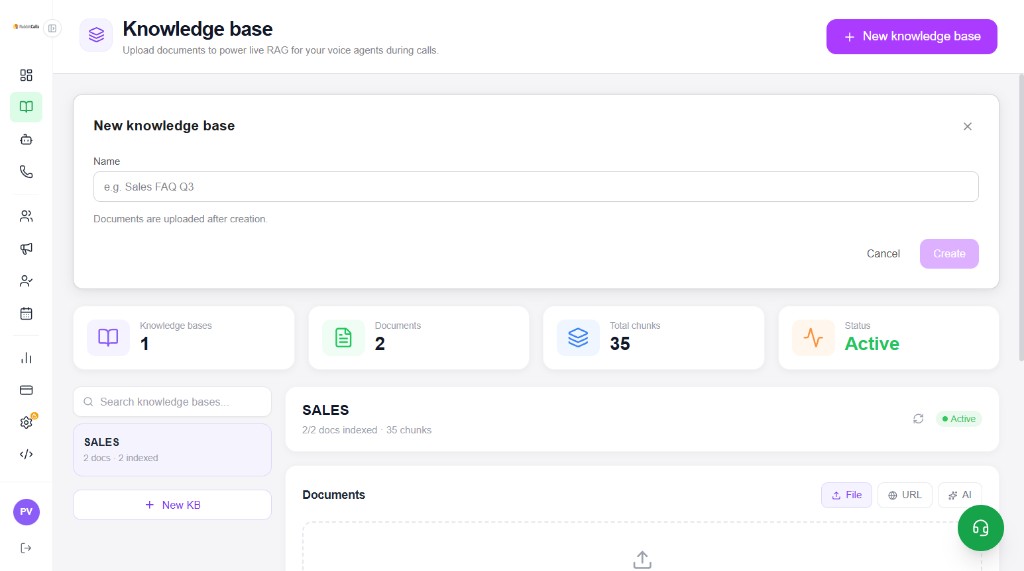
- + New knowledge base / + New KB to create another base
- Status badge (Active) and indexed doc / chunk counts
- Documents via File, URL, or AI
- Drag & drop upload — PDF, TXT, Markdown, CSV (max 16 MB)
- Per-file size, chunk count, Indexed status, and delete
Typical workflow
Create a knowledge base, upload sources, wait until docs show Indexed, then attach the KB on an Agent.
- Click + New knowledge base and enter a name (e.g. Sales FAQ)
- Documents are uploaded after creation
- Add files (PDF/TXT/MD/CSV), a URL, or use AI assist
- Confirm docs move to Indexed and chunk counts appear
- Refresh if needed, then attach the KB on the Agent screen
Best practices
Write short, clear answers the way an agent should speak on a call. Avoid huge undifferentiated dumps. Update the KB when offers or hours change, then re-upload or refresh so indexing stays current.